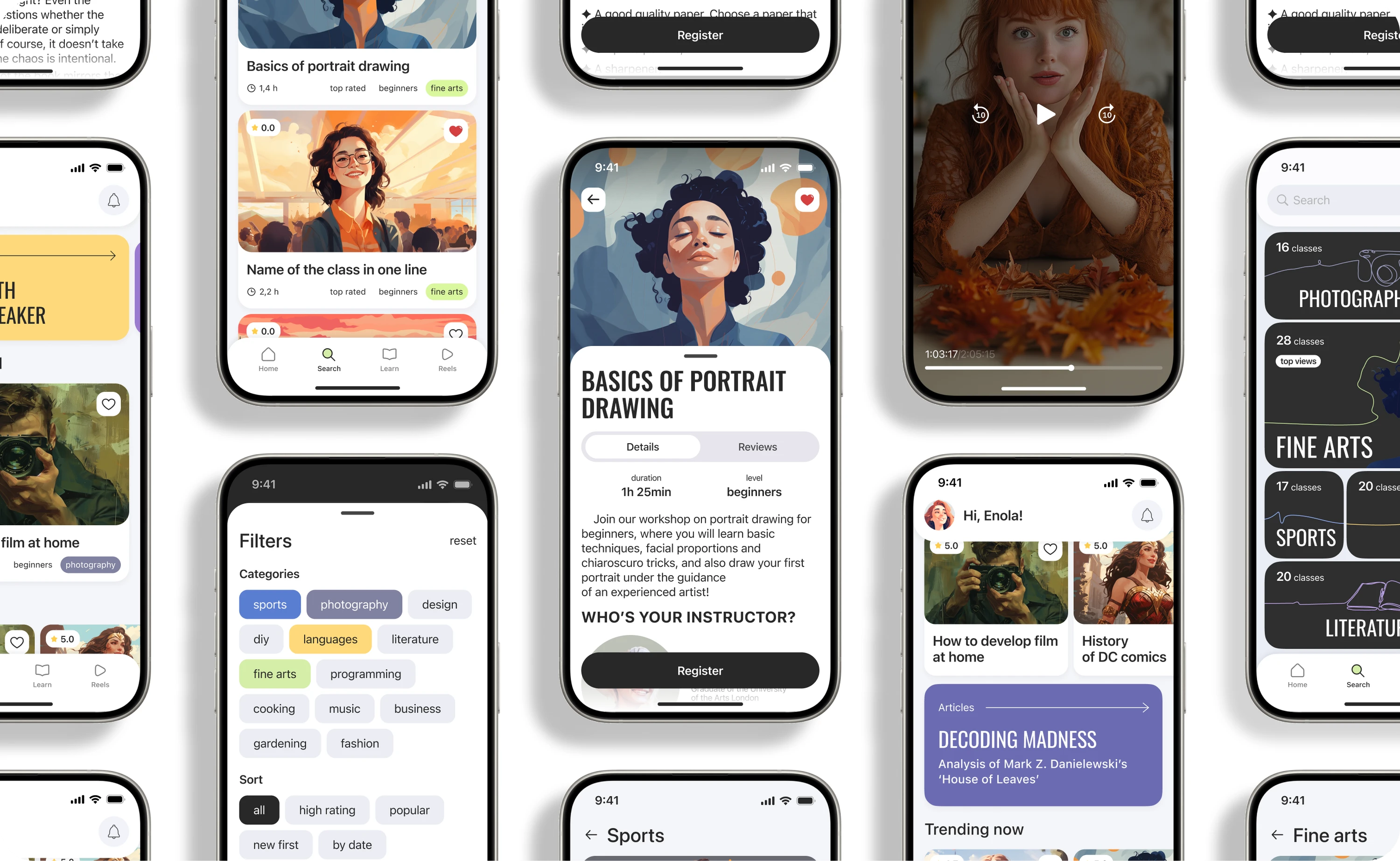
Designed a mobile app that helps people discover a new hobby, sign up for a workshop, and receive feedback from an instructor.
Product designer
Student project
2024
Responsibilities: research, team coordination, UX/UI design, prototyping, and usability testing
Problem
People who want to take up a new hobby struggle to choose among unfamiliar activities and assess whether a format will suit them. Most learning platforms work well when users already know what they are looking for, but offer little support on the journey from uncertainty to a first class.
Objective
Design a mobile app that helps users choose a hobby, evaluate a workshop, book a class, and receive support throughout the learning experience.
Design process
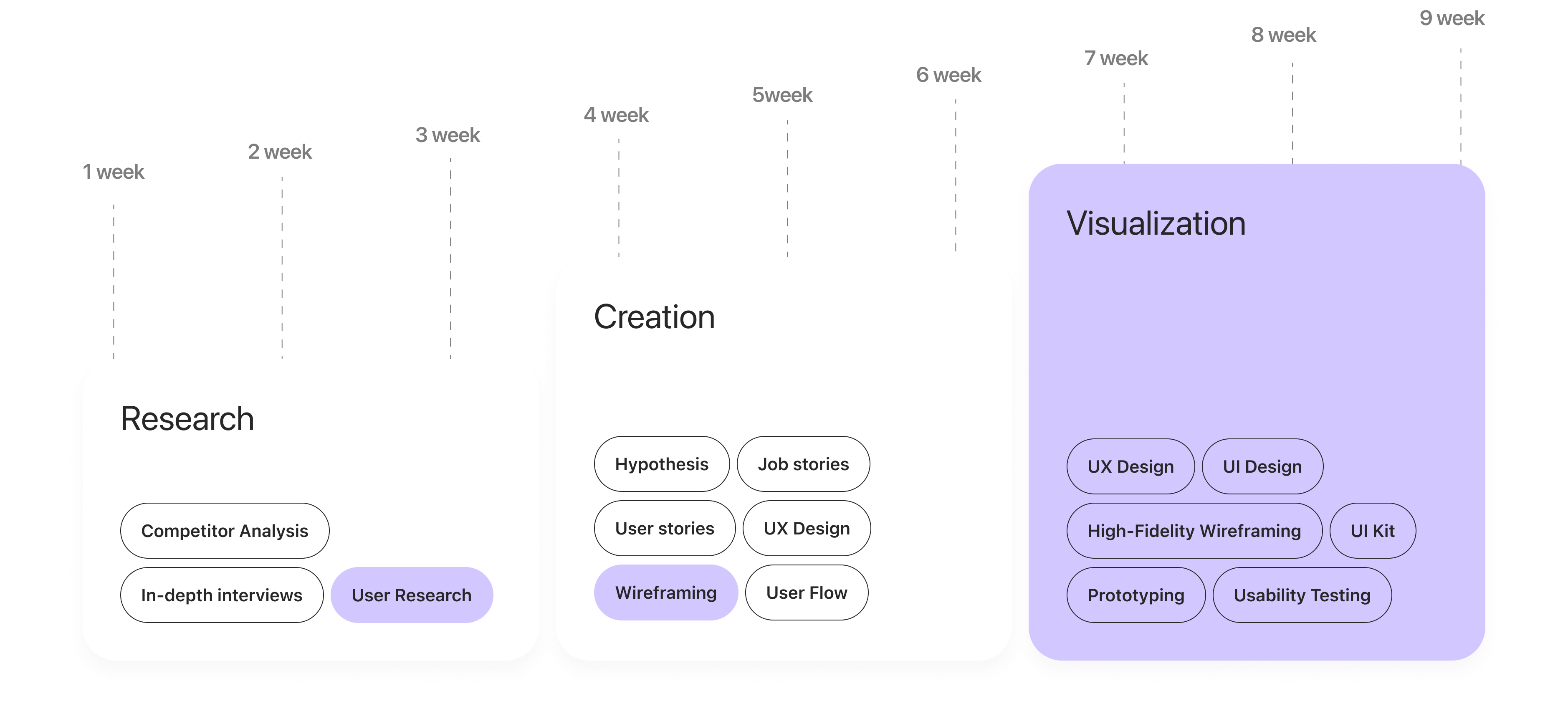
The research was conducted by a team of five designers. I coordinated task allocation, aligned the findings from the competitive analysis and user interviews, and consolidated the shared conclusions. I then independently developed the segmentation, user journeys, prototype, and visual design based on the team’s research.
Research
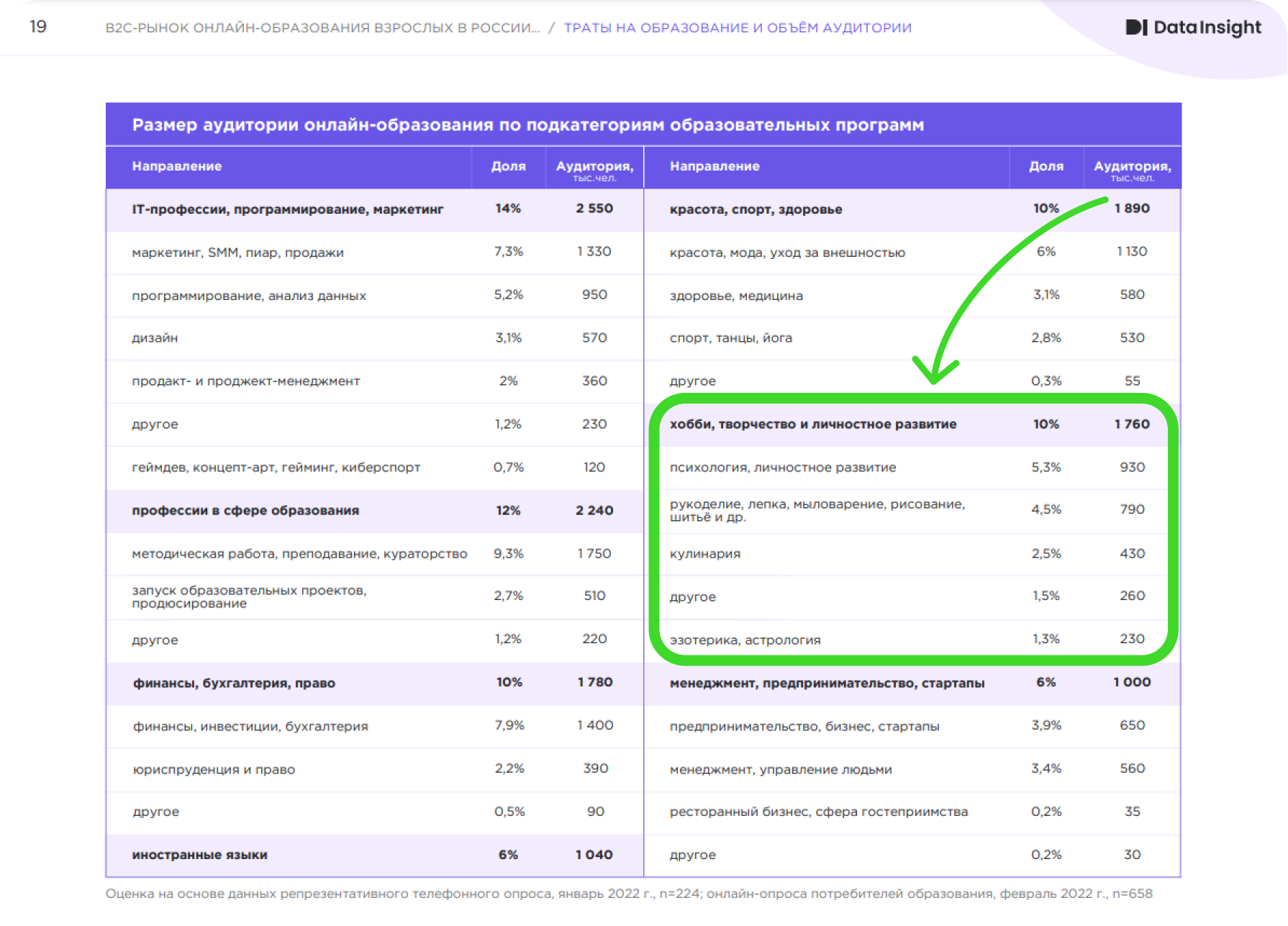
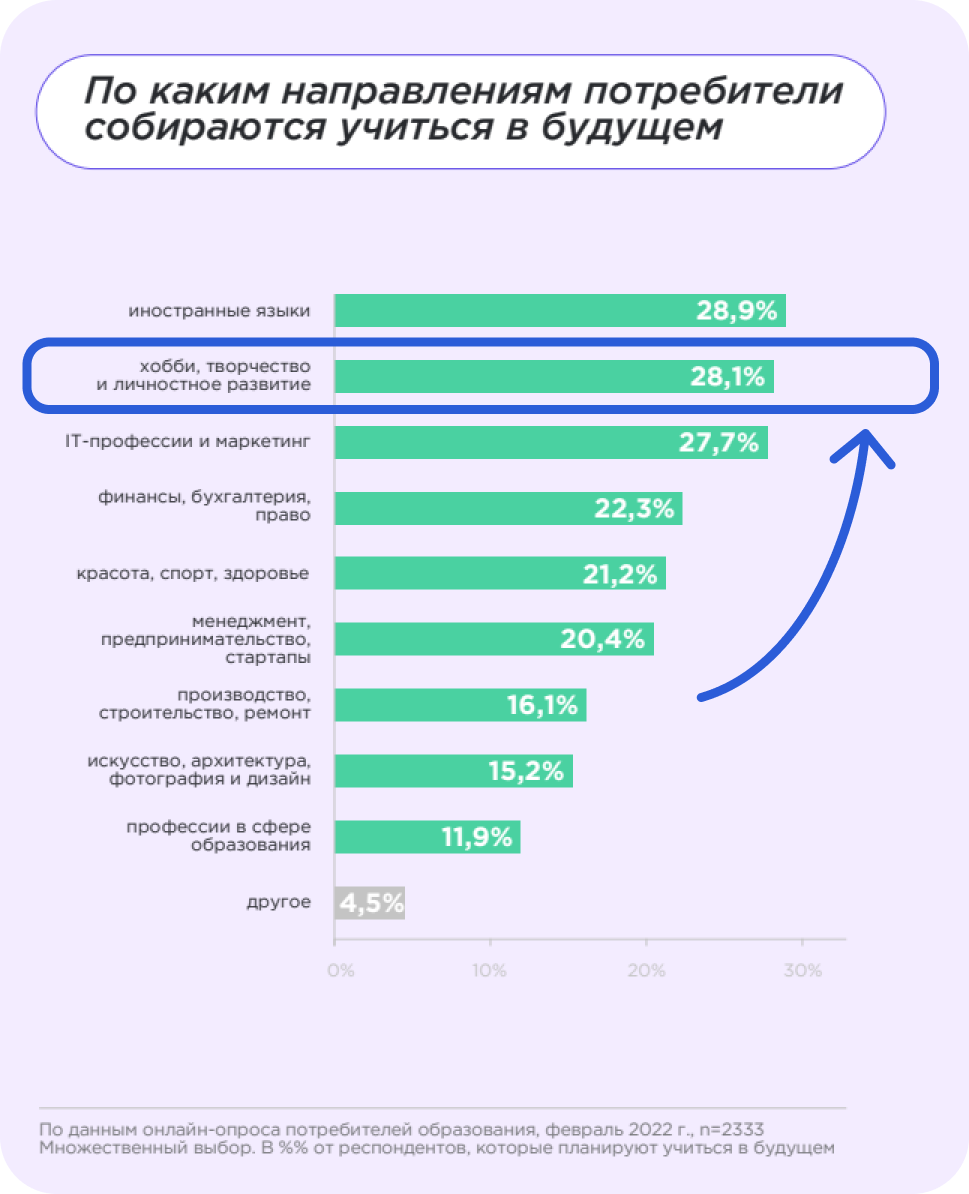
Desk research into the online education market confirmed growing interest in mobile learning and helped identify the product’s initial risks: users may lack motivation, feedback, and contact with an instructor. I treated these findings as hypotheses for the interviews rather than proof of demand for the solution.
Results of the study
Product audience
People of all ages who are looking for inspiration, want to grow, or hope to make a change in their lives—from students eager to learn something new to professionals who want to develop their interests further.
To make the audience’s needs and the value of the product features easier to understand, I created three personas:
Competitive analysis
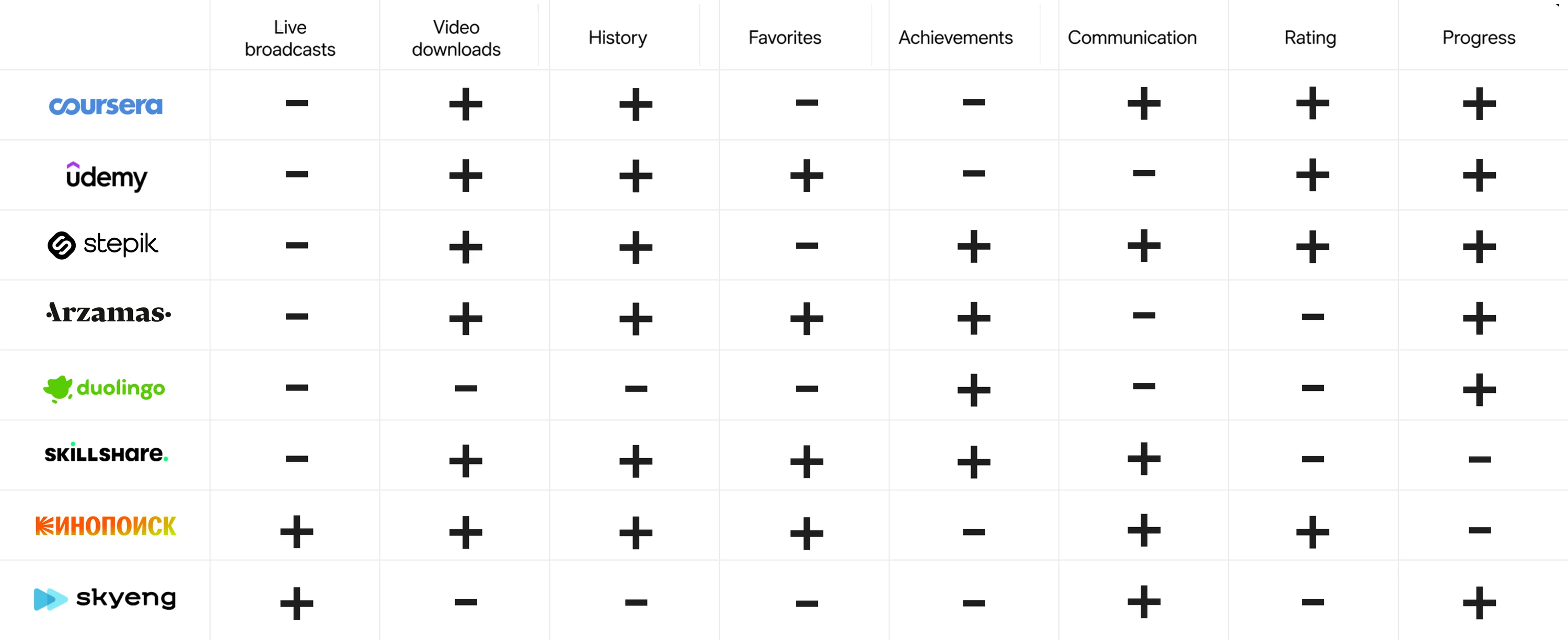
Together with the team, I analyzed eight online learning and activity-discovery services. We completed their core user journeys and compared the products across three areas:
1
Finding and choosing a class. Recommendations, categories, search, and filters.
2
Making a decision. Information about the program, instructor, format, and reviews.
3
Taking a class. Booking, livestreams, feedback, and progress tracking.
We also documented issues in key journeys using Nielsen’s usability heuristics.
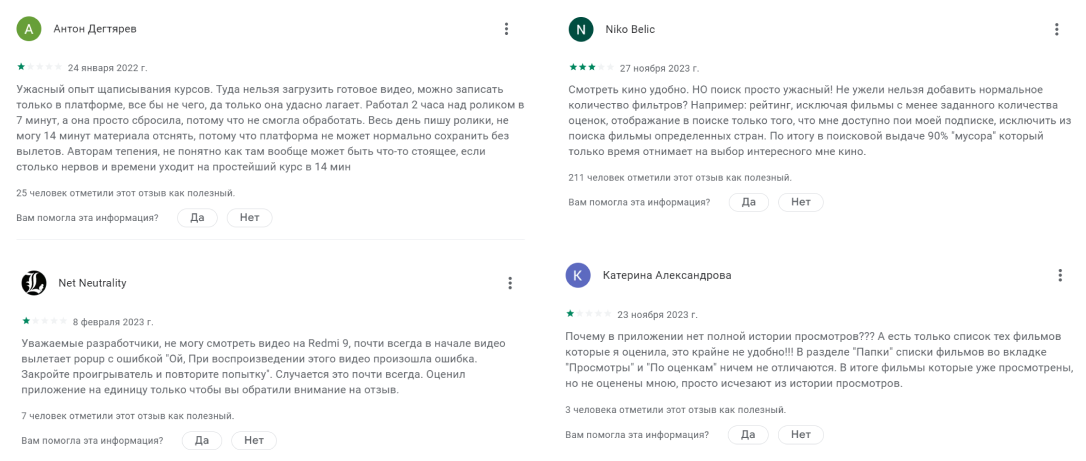
We also collected reviews from public sources
Analysis findings
The analysis showed that these services work well for finding a specific course, but provide less support to users who have not yet chosen a direction. I therefore focused the concept on recommendations, a clear presentation of the instructor, and the opportunity to try a class through a live session.
Hypotheses
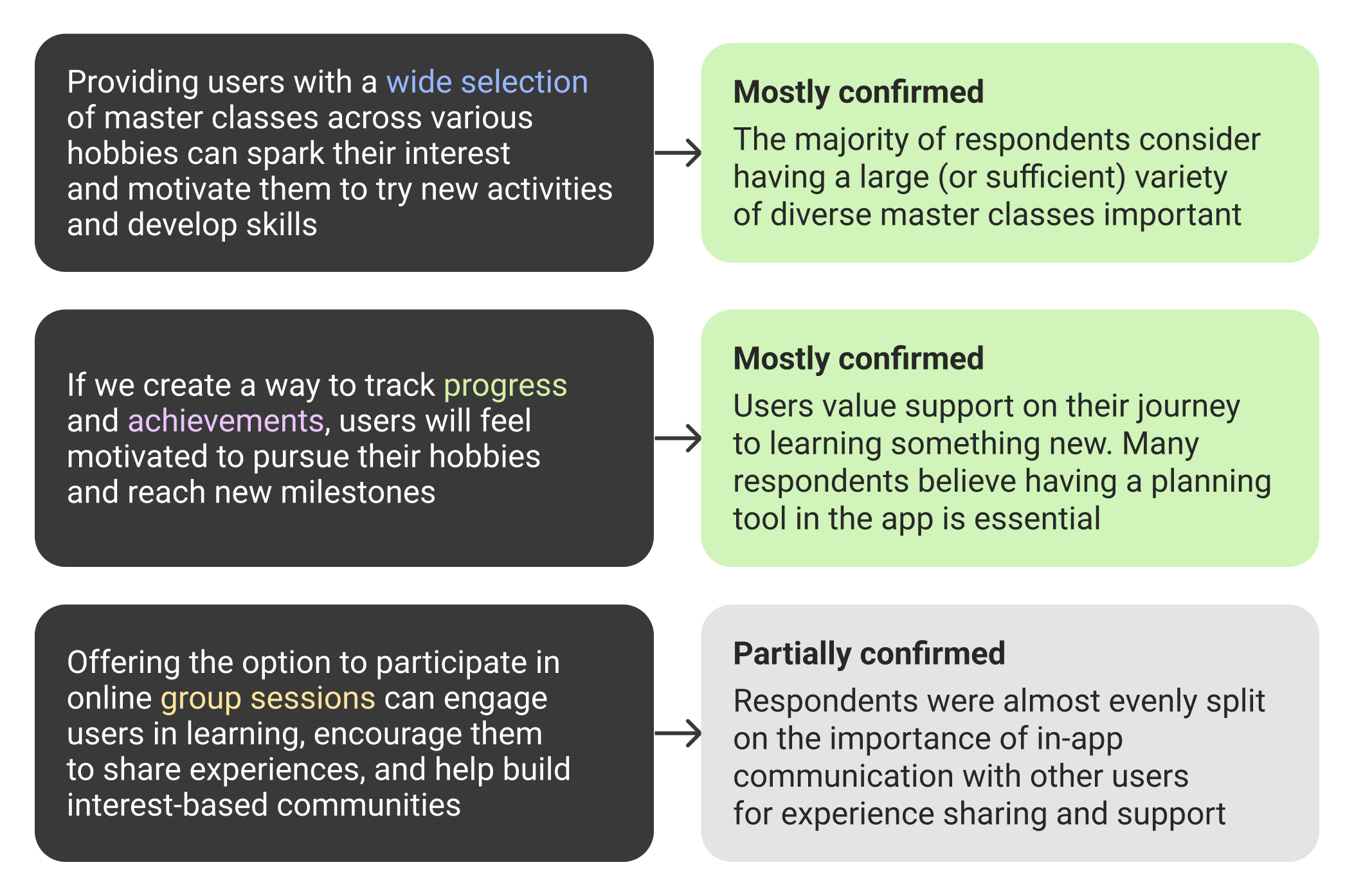
Based on the analysis, we formulated hypotheses to validate during the interviews:
User interviews
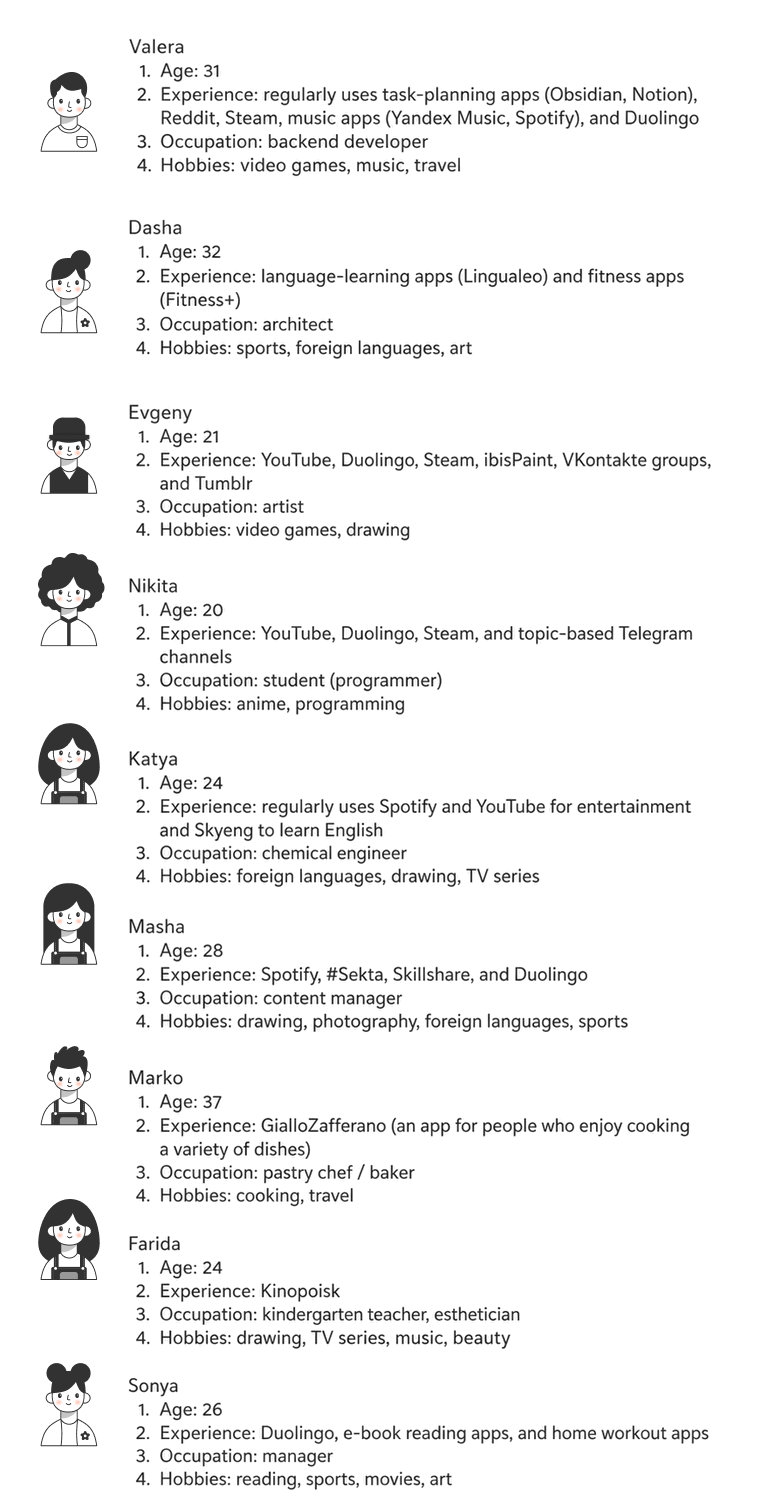
I conducted nine in-depth interviews to understand how people choose new activities, what prevents them from getting started, and what support they need while learning.
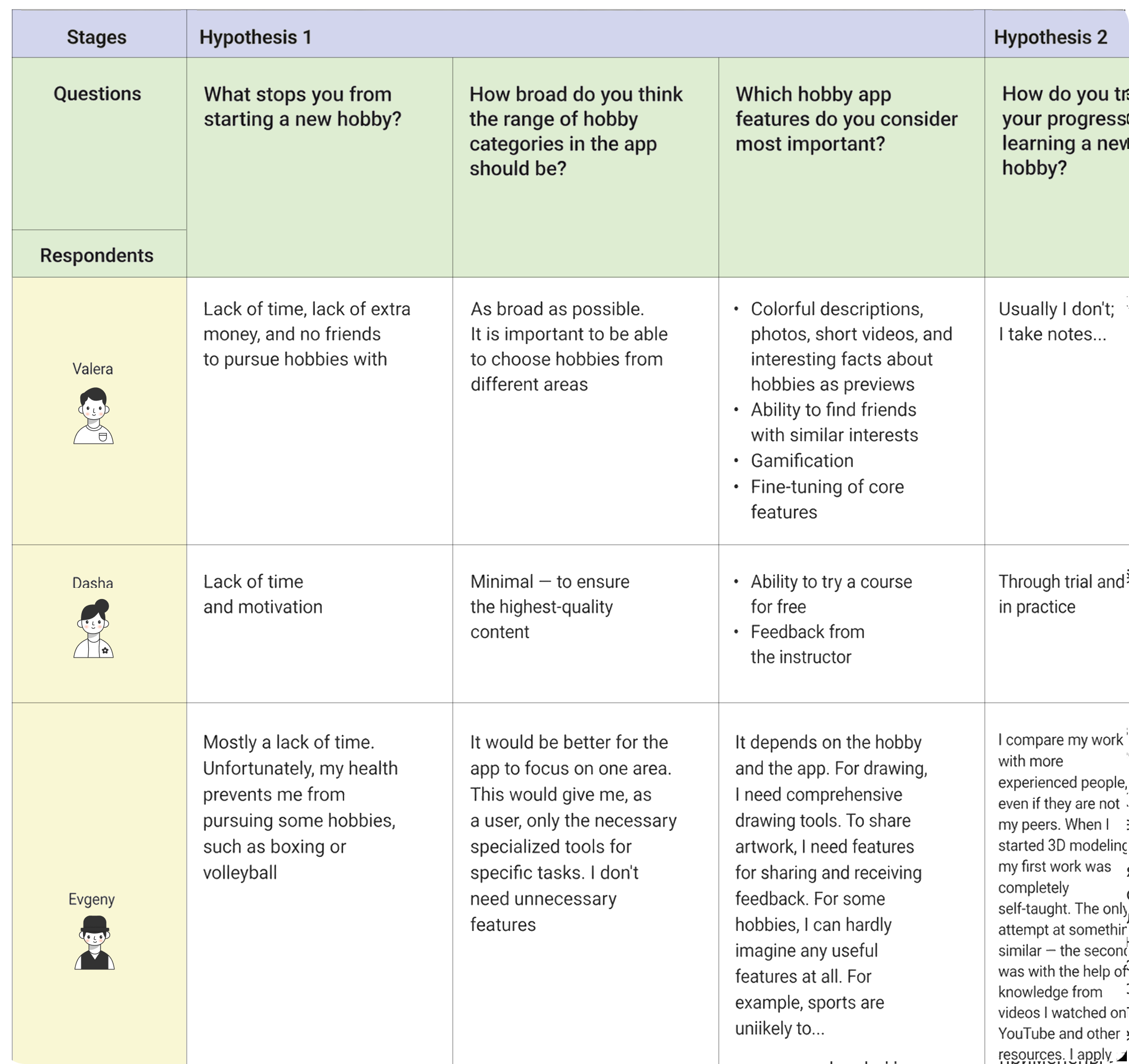
Description of respondents
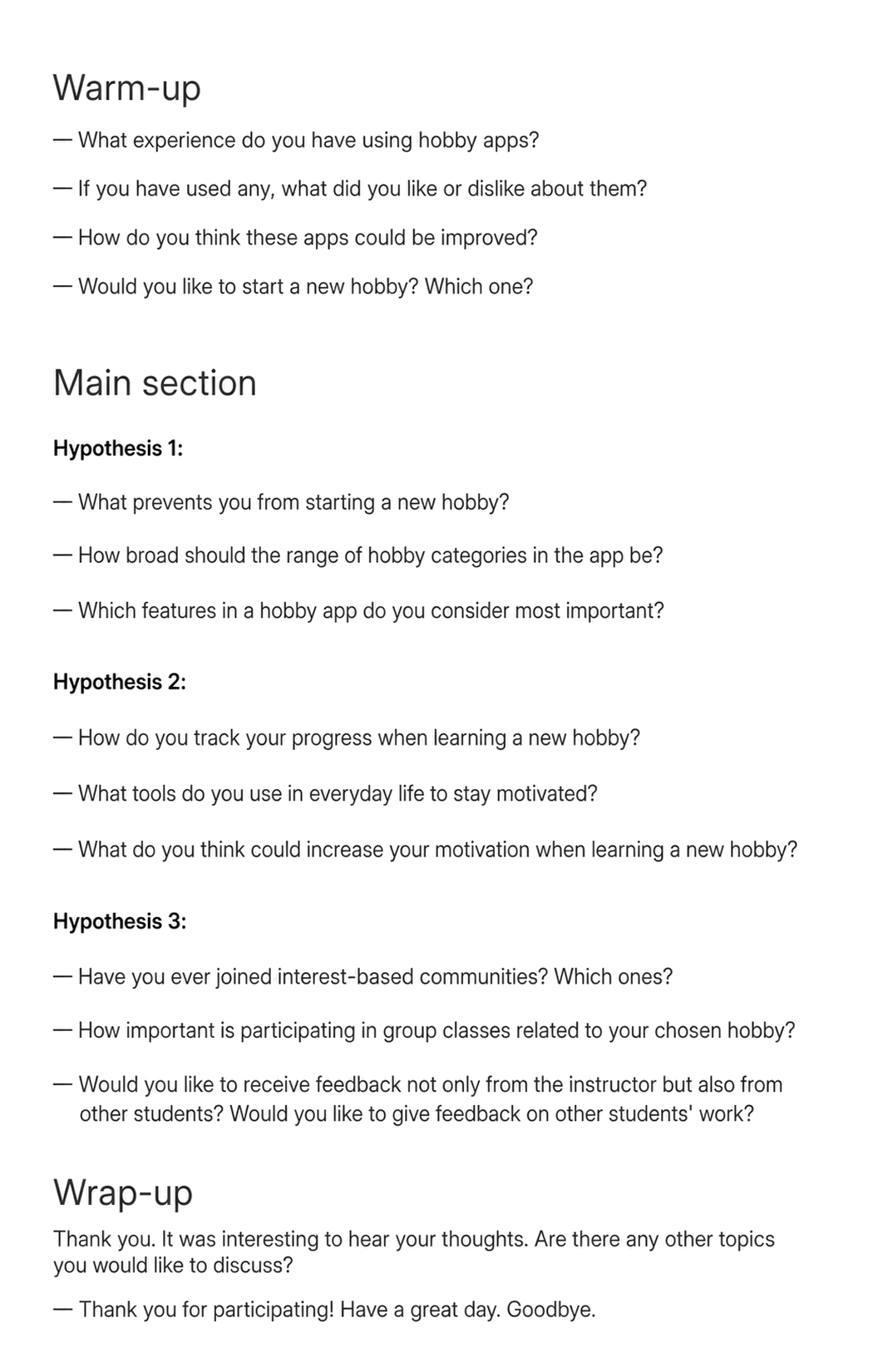
User interview guide
Interview transcript excerpt
User interview findings
Users value receiving feedback from an instructor
Users want to be able to customize the app’s core features to suit their needs
The app’s visual design matters to users. It should be minimal, memorable, and vibrant, with images and videos that explain workshops and draw attention to them
The findings changed the initial concept: I added instructor information to the workshop card, built feedback into the class experience, and used recommendations and filters for two different user states—when someone is still exploring and when they already know what they want.
The sample revealed behavioral patterns, but it is not large enough to support quantitative conclusions about the entire audience.
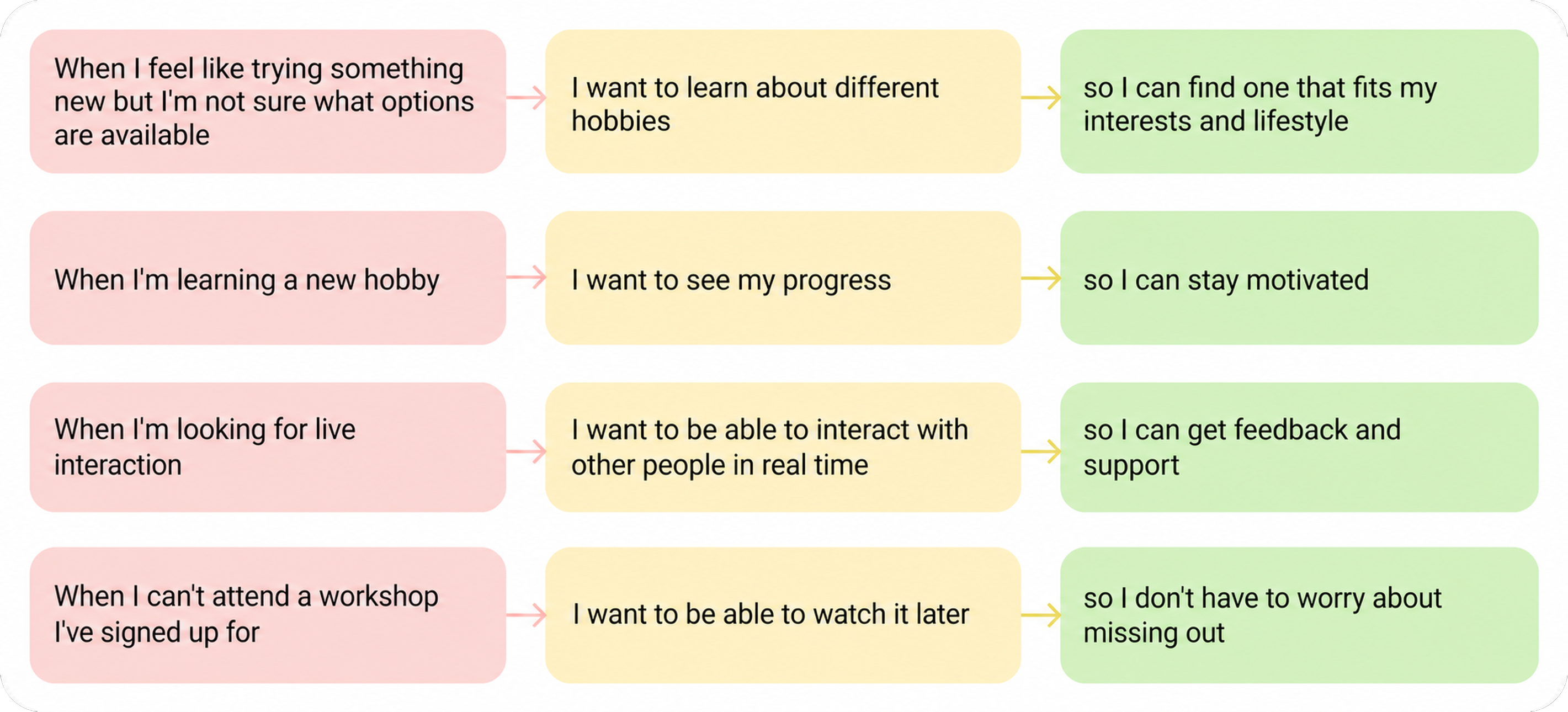
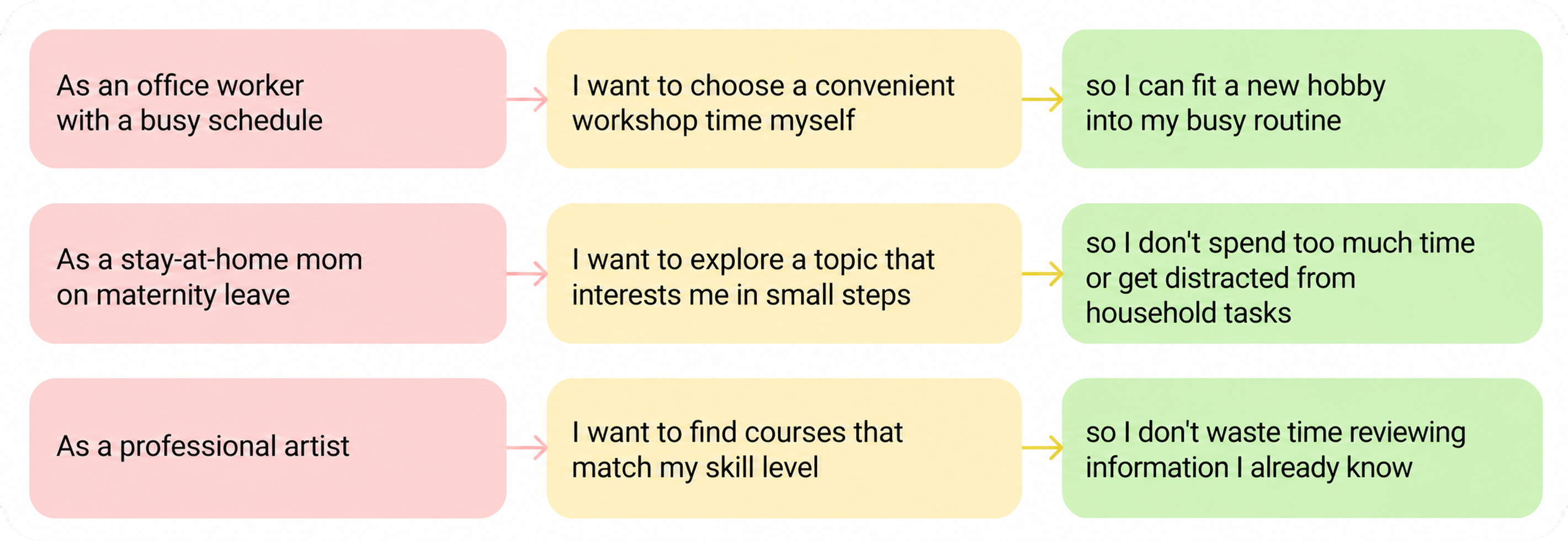
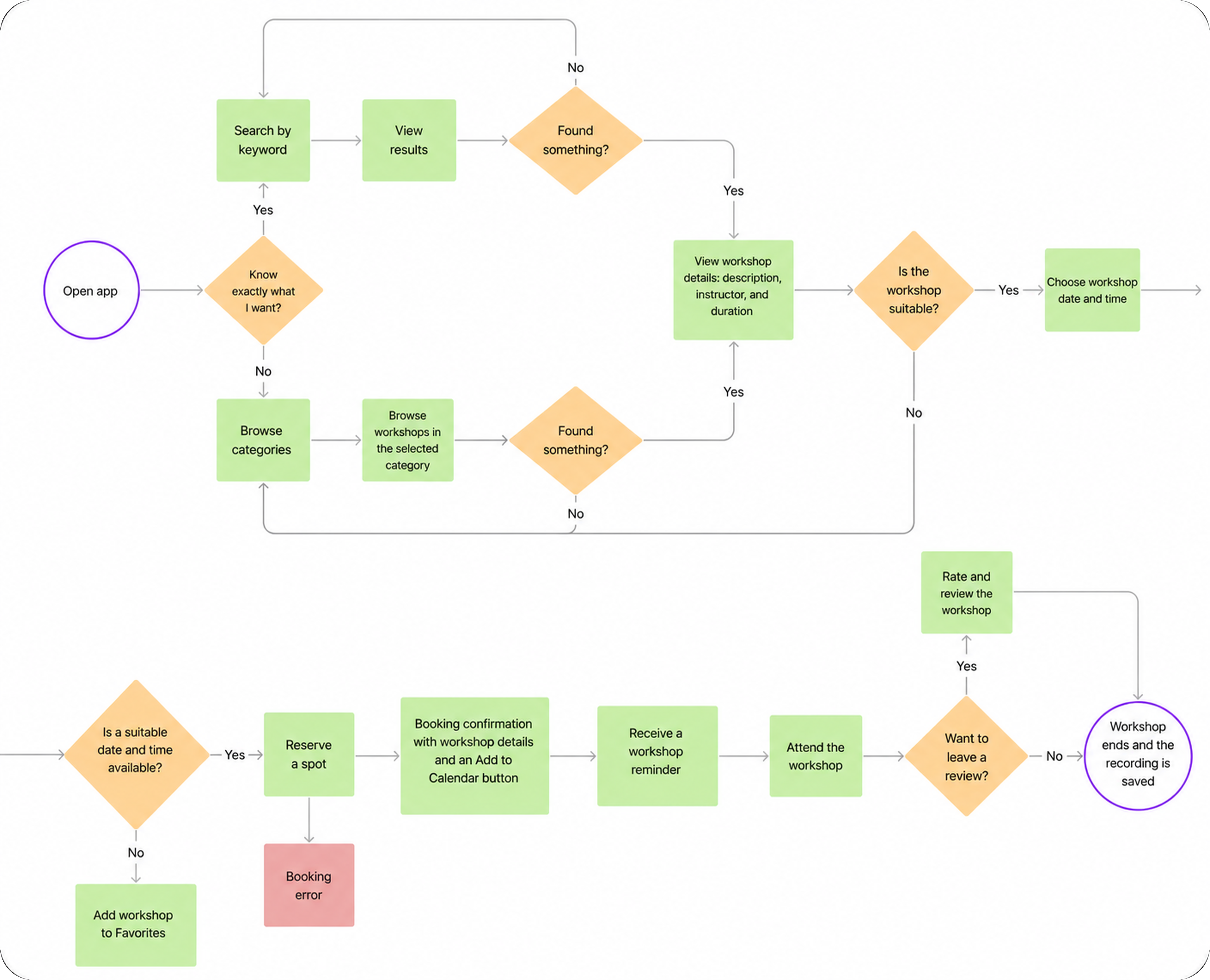
After analyzing competitors and interviewing users, I brought together the solutions I wanted to explore and translated them into Job Stories and User Stories. These stories kept the work focused on user needs. I then created a user flow to structure the experience and account for important details before designing the interface.
Core journey. From choosing a direction to completing a first workshop: receive recommendations → compare options → review the instructor and program → choose a time → book the class → participate → leave feedback.
MVP. The first version included search and recommendations, the workshop card, booking, the livestream, and feedback. I treated progress, rewards, and advanced social features as future product development.
Job Stories
User Stories
User Flow
Mockups
The client wanted the app to feel modern and minimal, with bright colors and engaging graphic elements. The overall direction needed to feel fresh and contemporary, with large, airy typography.
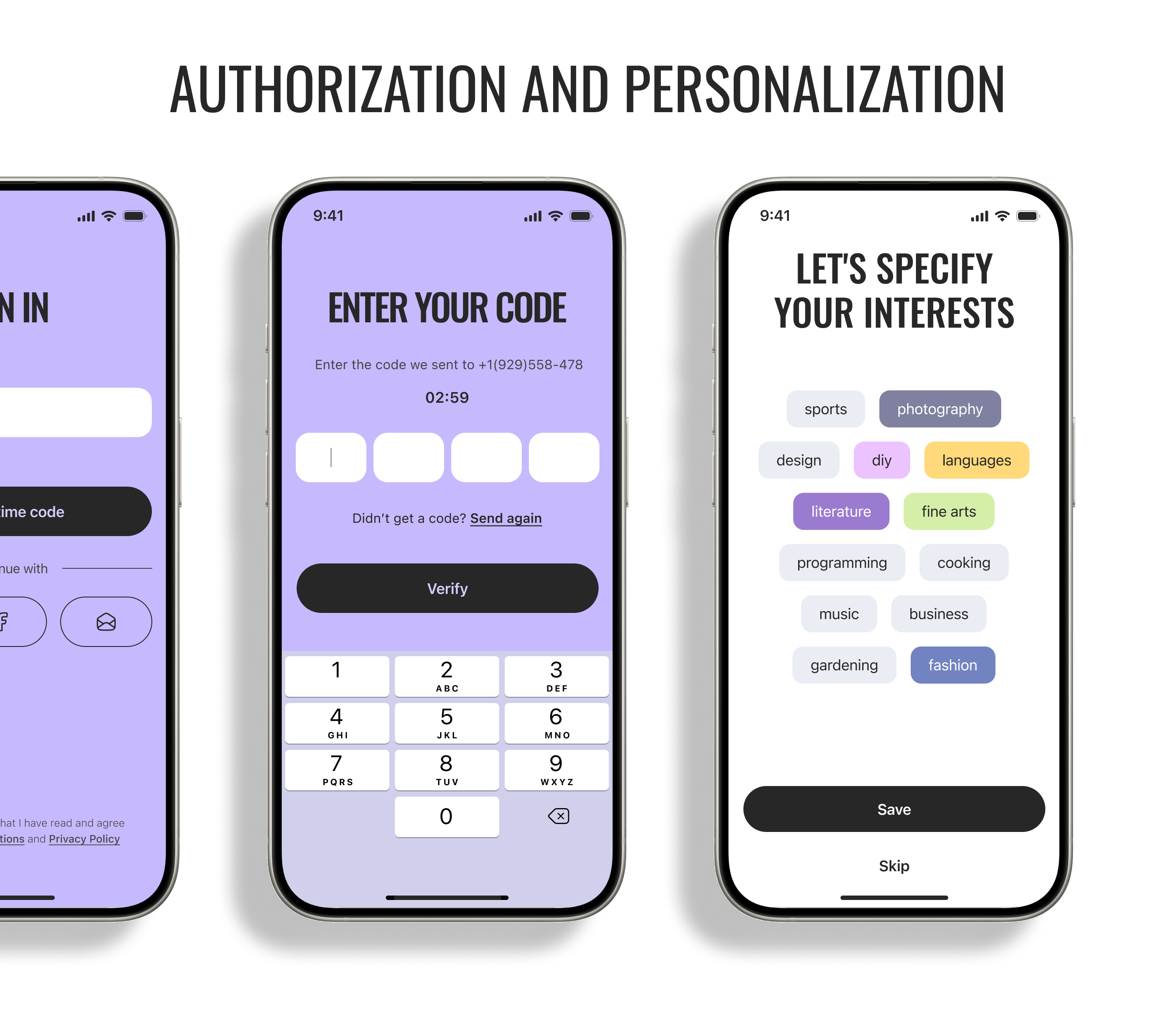
Objective. Personalize the first-time experience.
Problem. New users may not know which direction to choose, while generic recommendations make it harder to find a suitable class.
Solution. After signing in, users select the areas they are interested in. The app uses these preferences to generate personalized recommendations.
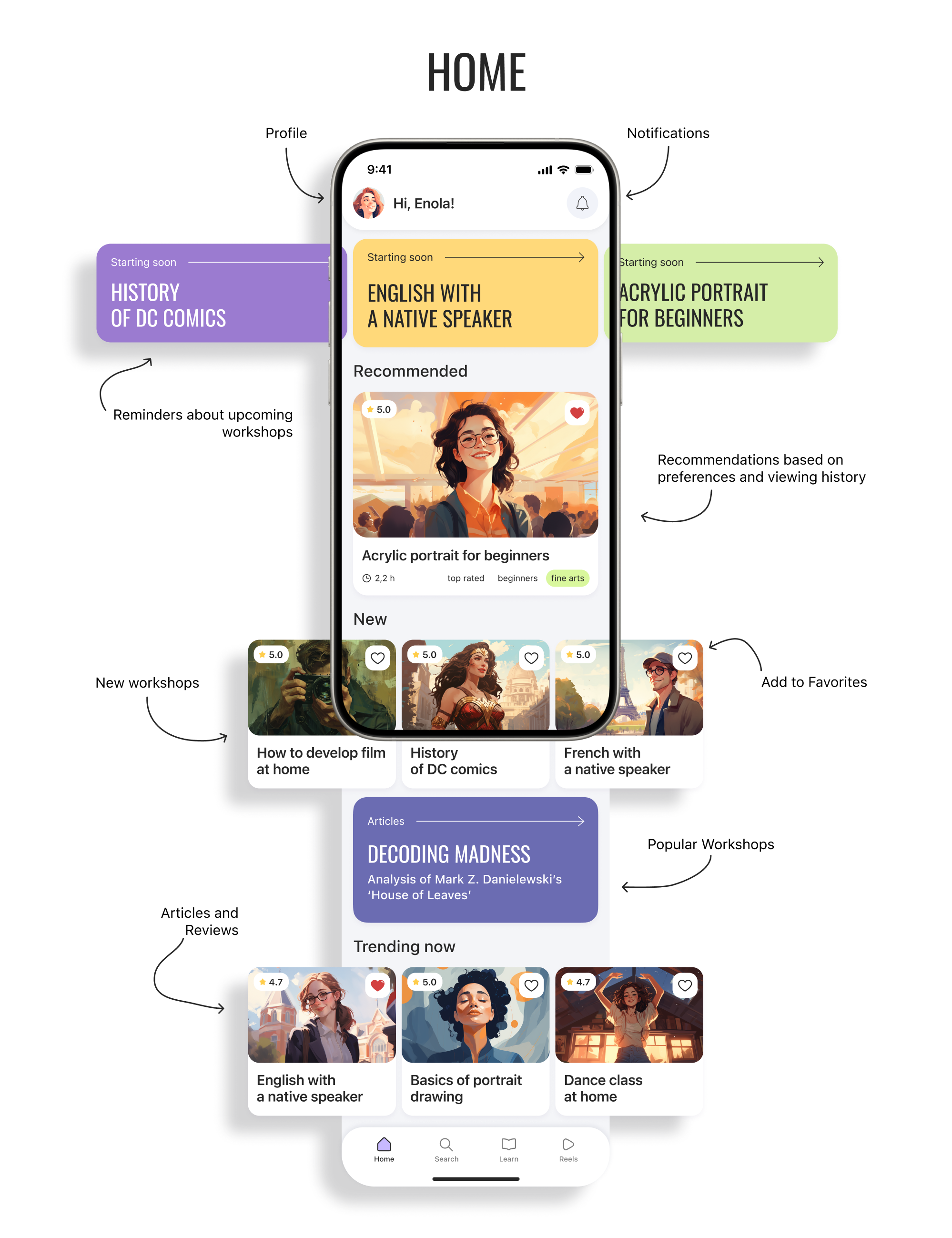
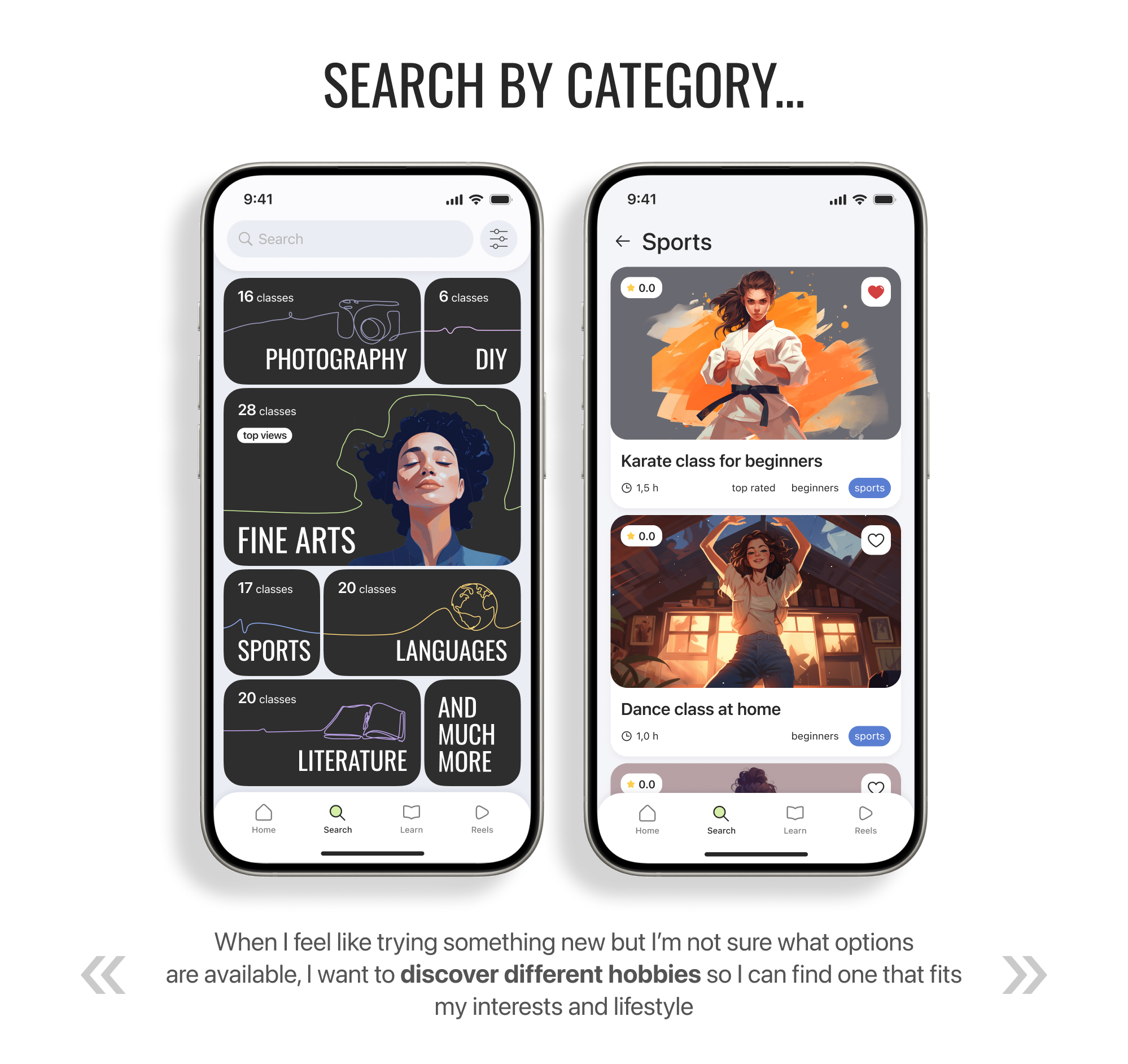
Objective. Help users find the right activity.
Problem. With unfamiliar activities, it can be difficult to know where to begin, and a large number of options makes choosing harder.
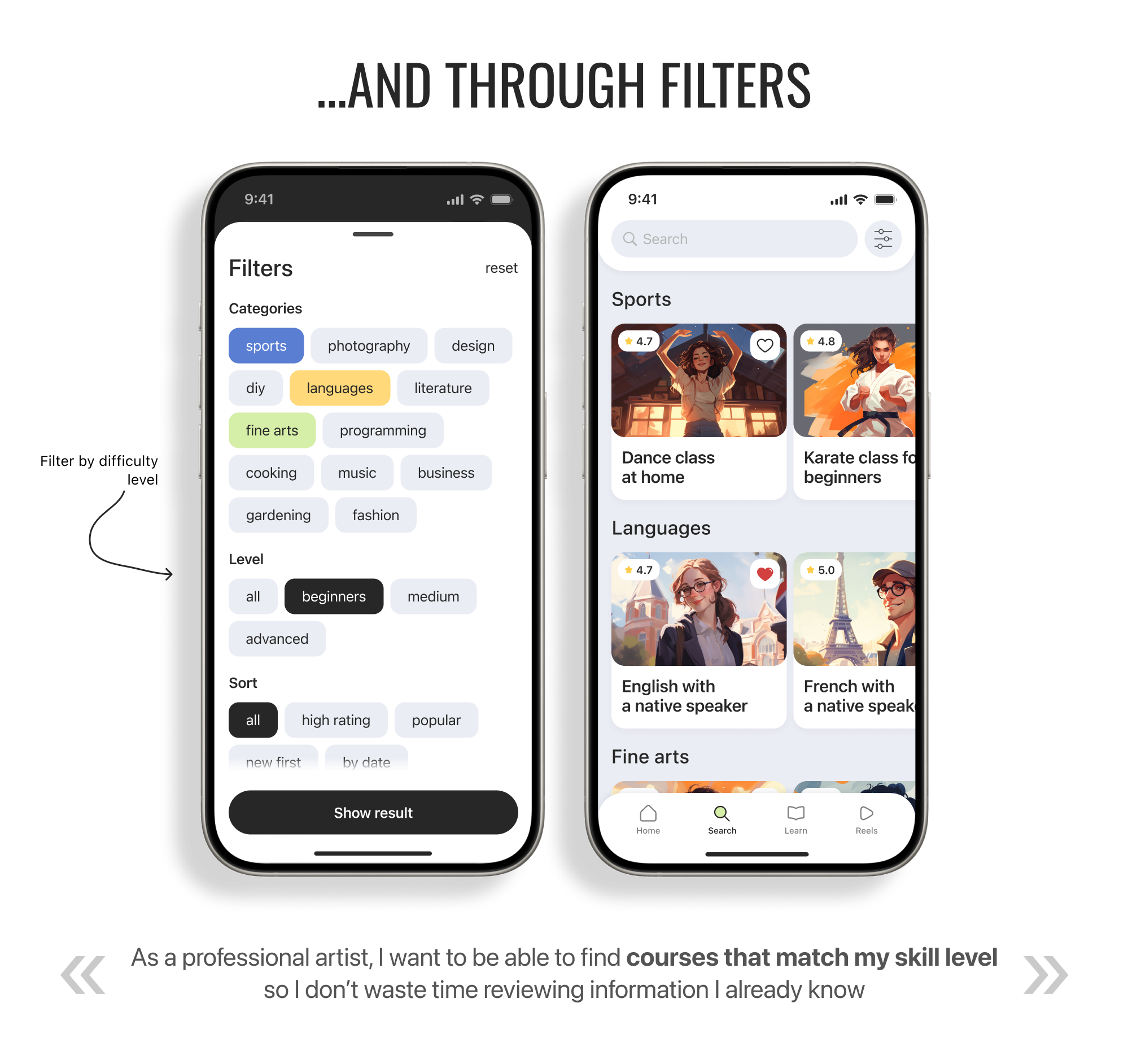
Solution. The home screen offers personalized recommendations, new classes, and popular classes. Categories help users explore available directions, while filters narrow the results by skill level and other criteria.
Objective. Help users make a decision and book a class.
Problem. Before booking, users need to understand the content and format, learn about the instructor, and fit the workshop into their schedule.

Solution. The workshop card brings together the program, duration, skill level, instructor details, and reviews. During booking, users choose a suitable date and time.
Objective. Support users during a class.
Problem. Users may miss a class or want to revisit the material later, and they may need more contact with the instructor while learning.
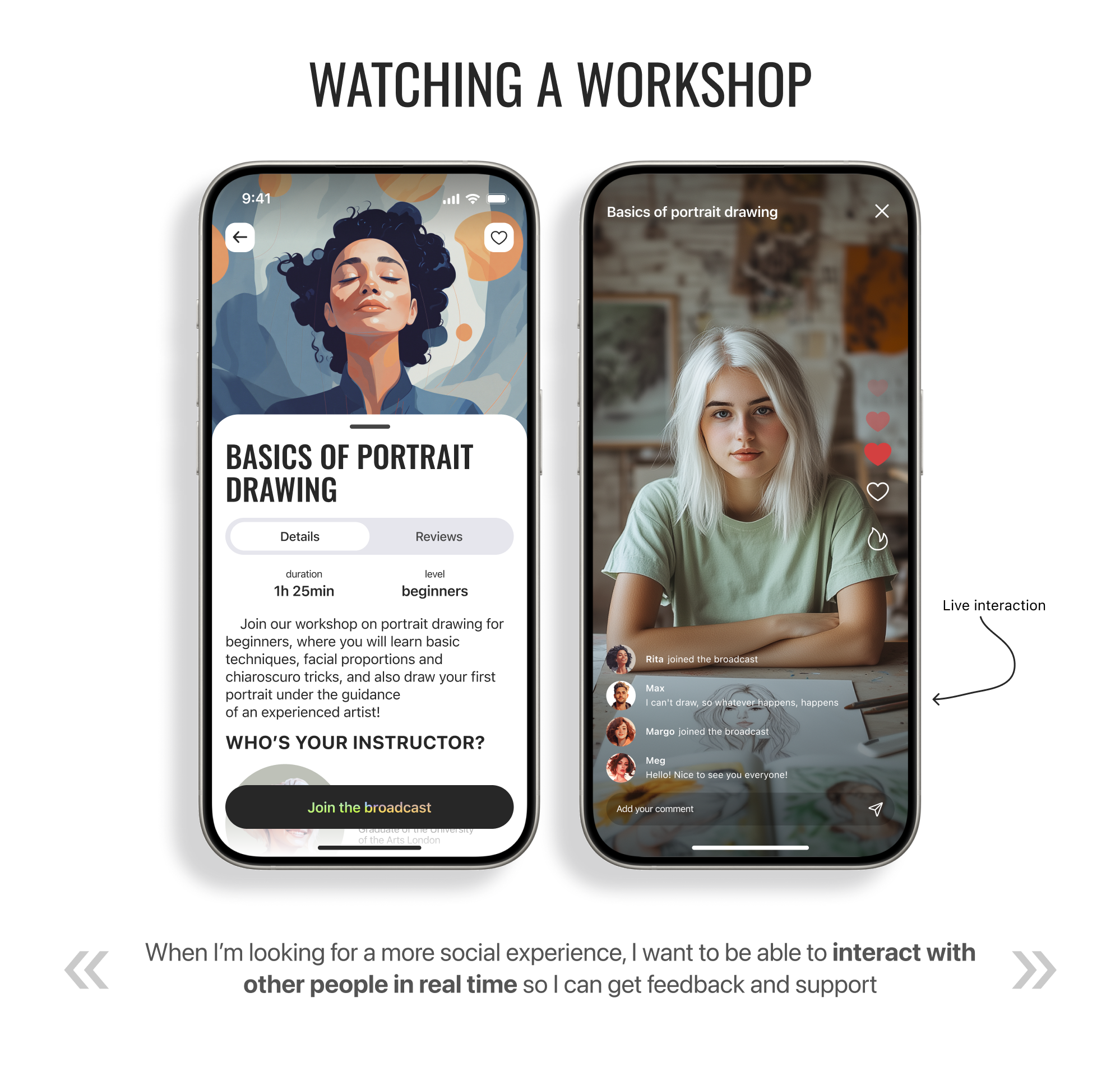
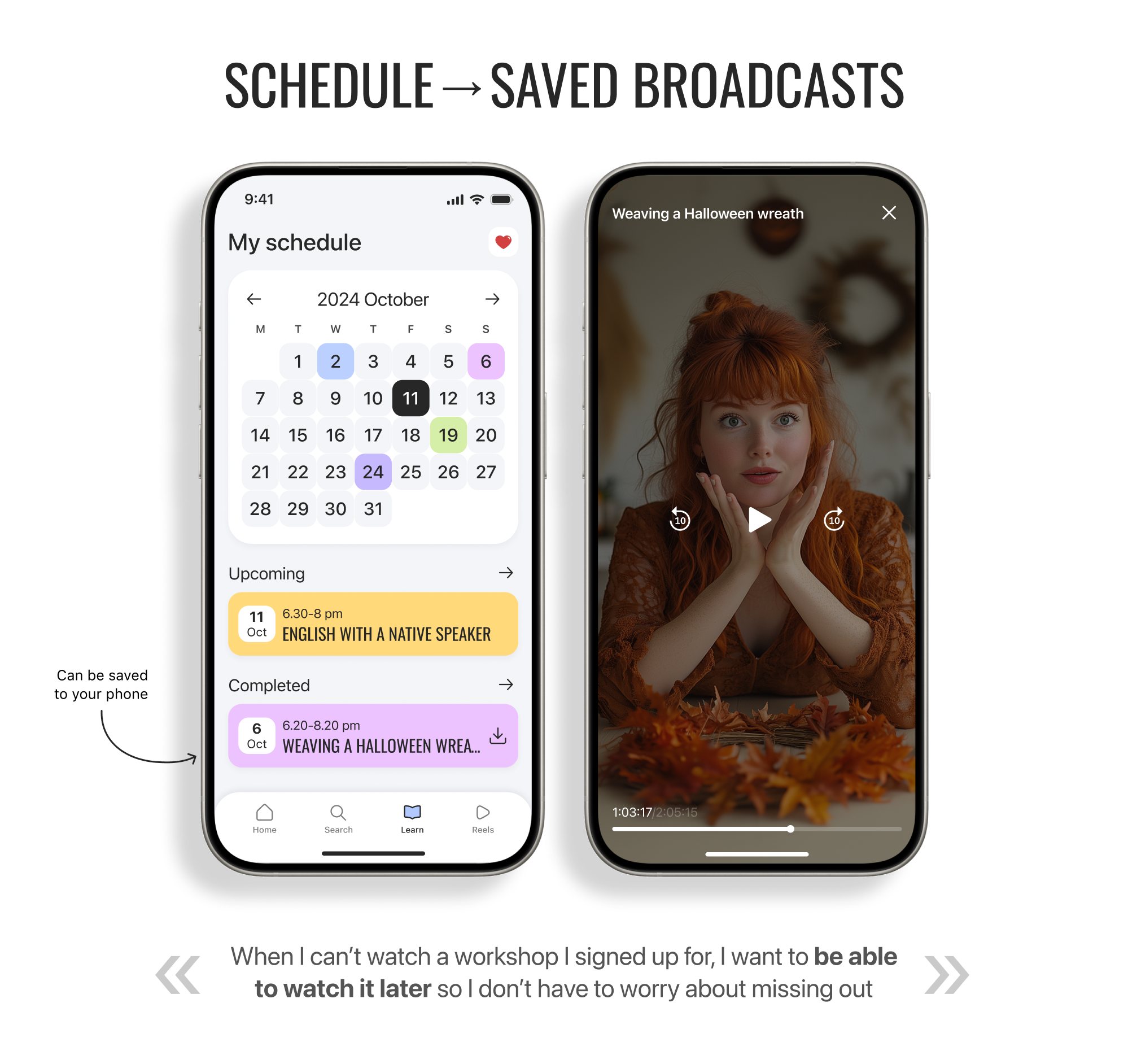
Solution. The livestream enables real-time communication and feedback. The schedule reminds users about upcoming classes, and completed sessions remain available to watch later.
Objective. Encourage continued learning.
Problem. Without easy access to saved materials and personal results, interest in learning can quickly fade.
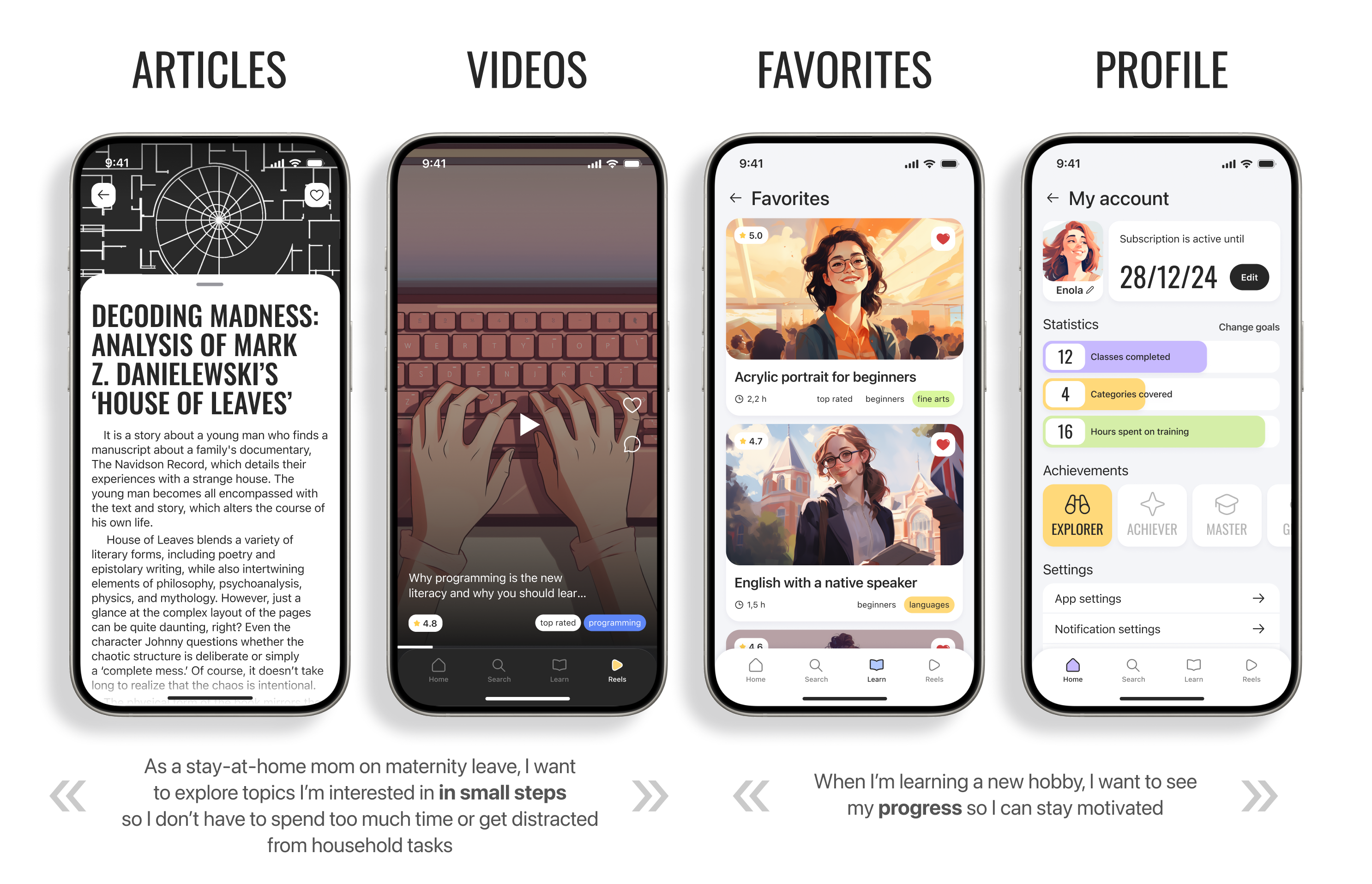
Solution. Articles and short videos complement the workshops, Favorites keeps interesting classes within reach, and the profile shows statistics, achievements, and progress.
Usability testing
I conducted moderated usability testing of the clickable prototype with the same nine participants who had taken part in the interviews. The sessions were held in person on a smartphone. Participants completed a sequence of tasks in the prototype and described their actions and difficulties aloud.
The primary task was to find a workshop, book it, join the livestream, and leave a rating. Secondary tasks included finding Favorites, completed workshops, saved livestreams, progress, notifications, and app settings.
During each session, I recorded whether the participant completed the task without assistance, where they made errors or backtracked, which elements they misinterpreted, and how they described the difficulty of the journey.
View the evaluation table
Scenario
Expected behavior
Success criterion
1. Create an account
The user independently chooses a sign-in method, enters the required information, and confirms registration
The user completes registration without assistance
2. Find a workshop
The user finds the specified workshop through search, categories, or filters
The user finds the workshop without assistance or unnecessary backtracking
3. Book a workshop
The user chooses the specified date and time and completes the booking
The user completes the booking without assistance
4. Join the livestream
The user understands how to join a scheduled livestream
The user independently finds “Join the broadcast” and opens the livestream
4.1. Comments and reactions
The user understands how to post a comment and send a reaction during the livestream
The user finds the comment field and reaction controls without assistance
4.2. Skip the rating
The user understands that leaving a rating and review is optional
The user recognizes that feedback is optional and finds “Skip”
5. Schedule
The user finds the section containing upcoming and completed classes
The user finds the schedule without assistance
5.1. Saved livestreams
The user finds a past workshop and opens its recording
The user finds the past workshop and opens the recording without assistance
6. Favorites
The user finds saved workshops
The user finds Favorites without assistance
7. Progress and rewards
The user finds statistics, progress, and achievements in the profile
The user finds progress and rewards without assistance
7.1. Edit the profile
The user understands how to change their name and profile picture
The user finds the editing controls without assistance
8. Notifications
The user opens the notification list from the home screen
The user opens notifications without assistance
Findings
All nine participants completed the core journey without moderator assistance
One participant did not find Favorites immediately; the others completed the task within a few seconds
Two participants were unsure where to find past workshops and how to open a livestream recording
One participant suggested hiding livestream comments because they cover the video. A possible solution is to collapse them behind an icon and open them in a modal view
Based on the test results, I created a list of improvements for the next iteration: make Favorites easier to find, simplify access to completed classes and recordings, and allow users to hide comments during a livestream.
Proposed metrics
Because this was a student project and the product was not launched, there is no actual product data. These are the metrics I would use to evaluate the solution after launch.
Primary metric
The share of new users who complete their first workshop after choosing an area of interest in the app.
This indicates whether the product helps users move from initial interest to completing their first class.
Supporting metrics
Conversion from viewing a workshop card to booking.
Share of booked users who attend the class.
Share of participants who complete the workshop.
Share of users who return to choose another class.
Share of participants who receive instructor feedback.
CES for the core journey.
Outcomes
Conducted nine in-depth interviews and identified the audience’s key needs
Analyzed eight competitors together with the team
Independently designed the core user journey, interactive prototype, and UI kit
All nine participants completed the core journey without moderator assistance
Testing showed that participants understood the core journey from finding a workshop to booking it and joining the livestream. The results also identified opportunities to improve the secondary journeys in future iterations.
Unless expressly stated otherwise, the texts, structure and design of the site, graphics, illustrations, images and other materials created by me are subject to copyright.
Copying, reproduction, modification, publication, distribution, placement on other resources and other use of these materials for commercial or non-commercial purposes without prior written permission is not allowed.
Trademarks, logos, company names and materials of third parties belong to the respective copyright holders and are presented on the site exclusively as part of a portfolio.